wrongecho Square payments are wired up and tested end to end now, sitting at parity with the existing Stripe integration.
Tested tonight, against live production Square (not sandbox):
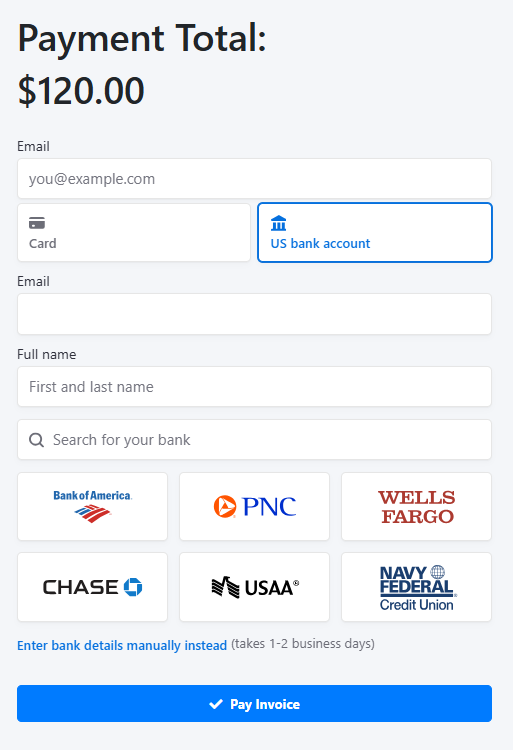
- Guest checkout - invoice email link, set up a Square customer record, enter a card, charge it
- Client portal - save a card, pay an existing invoice with a saved card, remove a saved card
- Admin side - manually charge a client's saved card from the invoice page
- Nightly cron autopay - recurring invoice charged automatically against a saved card, no one touching it
- Decline handling - ran a card down to $0 and confirmed a real insufficient-funds decline gets logged properly and nothing gets double-booked
- Fee reconciliation cron - Square's processing fee gets picked up and booked as an expense automatically, same as it already does for Stripe
- Receipt handling - Square gives you a hosted receipt link per payment, now shows on the invoice and in the payment receipt email
Commits, if anyone wants to see what actually changed:
BoredManCodes/itflow
- 6cefedff5 - the initial build: Square as a payment provider for one-time guest invoice payments
- 6bc79f379 - added saved cards, autopay and fee reconciliation on top of that, for full Stripe parity
- 6c271da2f - fixed the guest checkout flow reusing the same "Pay Now" button for card setup and actual payment, which is what confused a client into thinking she'd paid when she hadn't
- a0cb635c1 - the real bug behind that: the submit button had id="submit", which shadows the form's native submit() method, so no card ever actually got charged or saved through either the guest or client-portal flow
- f4266b3d2 - Square's card error text was rendering near-black on a dark background, invisible
- 2018b75a4 - Square's hosted receipt link is now saved and shown on the invoice and in the receipt email
- 7853e0bc6 - fixed a second whitescreen caused by the id="submit" fix itself, which broke the button's name/value making it into the POST
- c3bc6540d - client-portal payments were logging into invoice history as "(agent)" instead of "(client)"
To get it running you need a Square account with an application set up in their Developer Dashboard. From there:
- Application ID (their "public key" equivalent)
- Access Token (the secret key)
- Location ID (which Square location the payment gets recorded against)
Then in ITFlow it's Settings > Payment Providers > Add, pick Square from the provider dropdown, drop those three in, point it at an Account for the funds, and set an expense vendor/category if you want the processing fees auto-booked overnight (same as Stripe).
Parity-wise it's the same tables and same code paths as Stripe throughout - client_payment_provider, client_saved_payment_methods, payment_providers - everything just branches on provider name. Anywhere Stripe works today, Square now works the same way.
Feedback welcome.